
Windows – Phone Activation via Our Activation Portal
1) System Preparation
Ensure that your purchased license key is entered in the system. If it is not yet entered, go to Settings → System → Activation → Change Product Key.
2) Launching the Activation Wizard
- Press the Windows + R keys simultaneously on your keyboard (this will open the "Run" window).
- Type the command
slui 4in the box and press Enter.
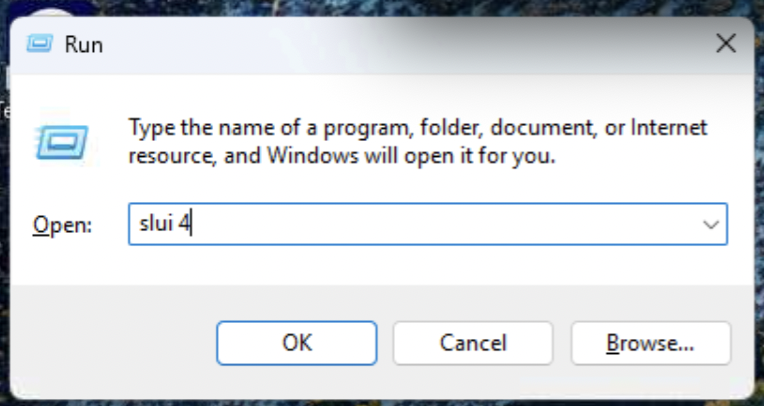
fig. 1 – Running the activation command
3) Selecting Your Country
In the opened window, select your country from the list and click Next.

fig. 2 – Selecting location in Windows
4) Displaying the Installation ID (IID)
You will see 9 groups of numbers on the screen. This is your Installation ID, which you should note down or keep open.
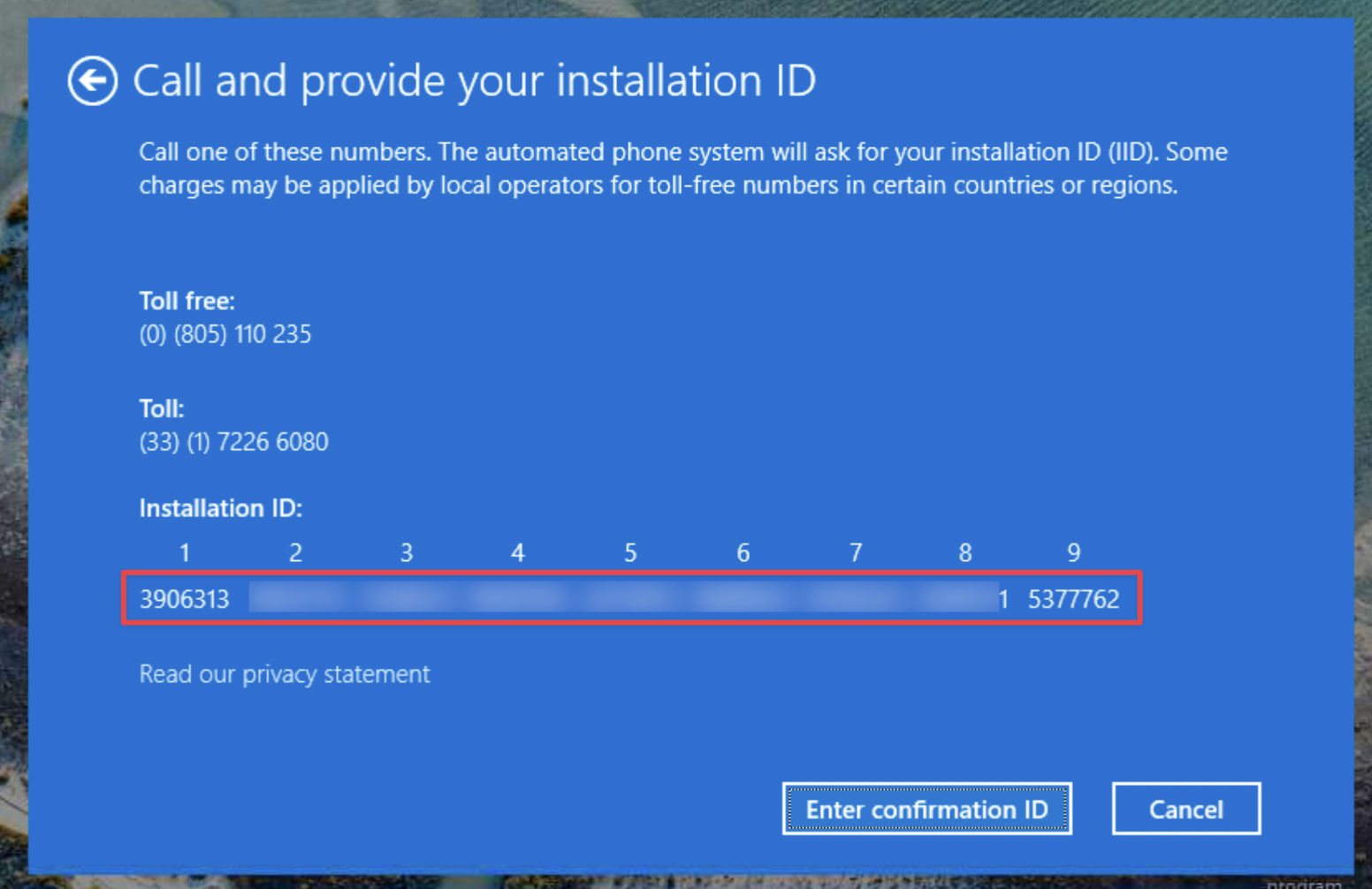
fig. 3 – Installation ID in Windows
5) Verification on the Activation Portal
Go to our website: https://cd-keys.online/en/phone-activation.
Enter your email and license key and click continue.
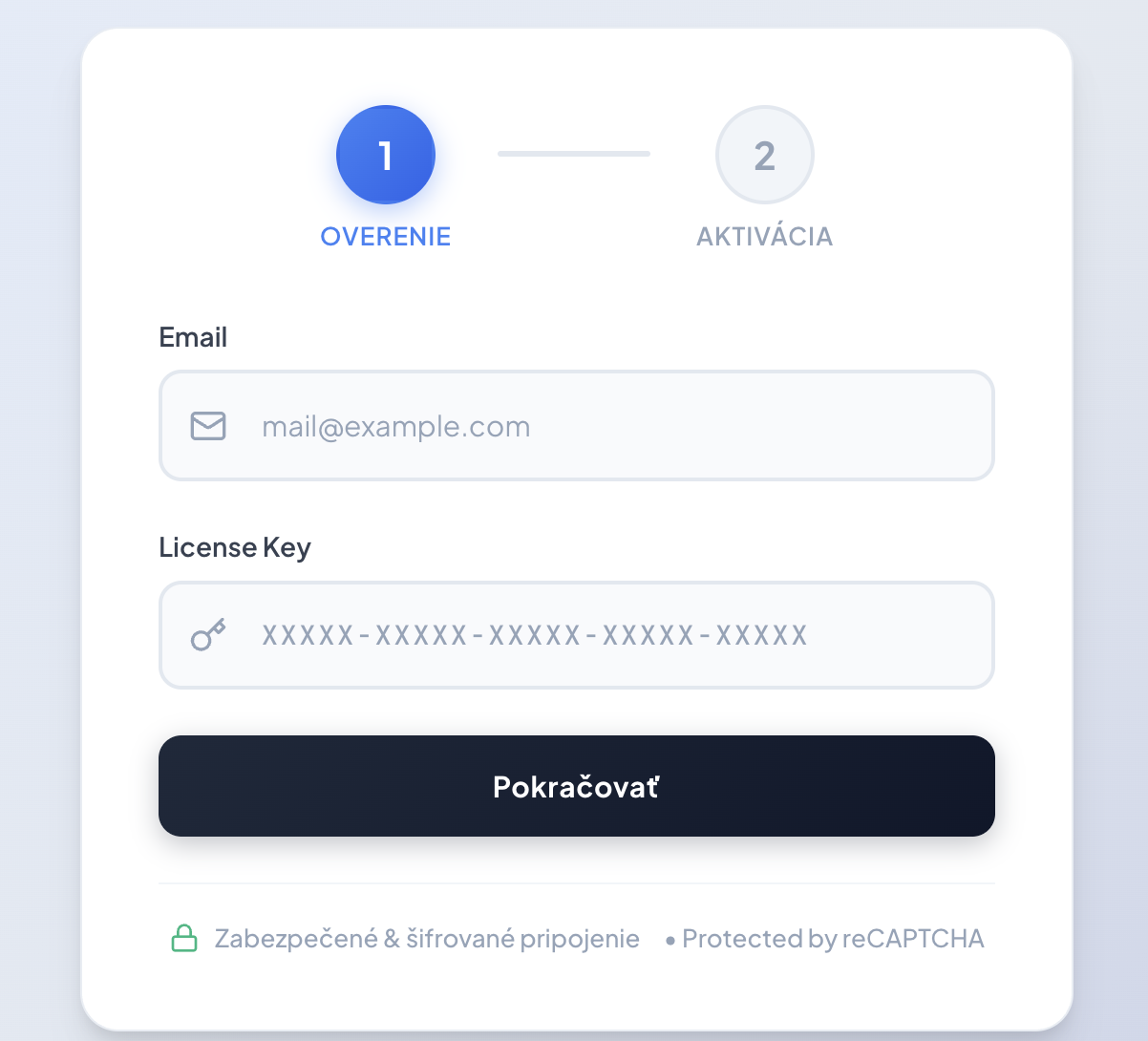
fig. 4 – First step on the portal
6) Obtaining the Confirmation ID (CID)
Copy the 9 groups of numbers from the Windows window (step no. 4) into the fields on our website and click Get Confirmation ID (CID).
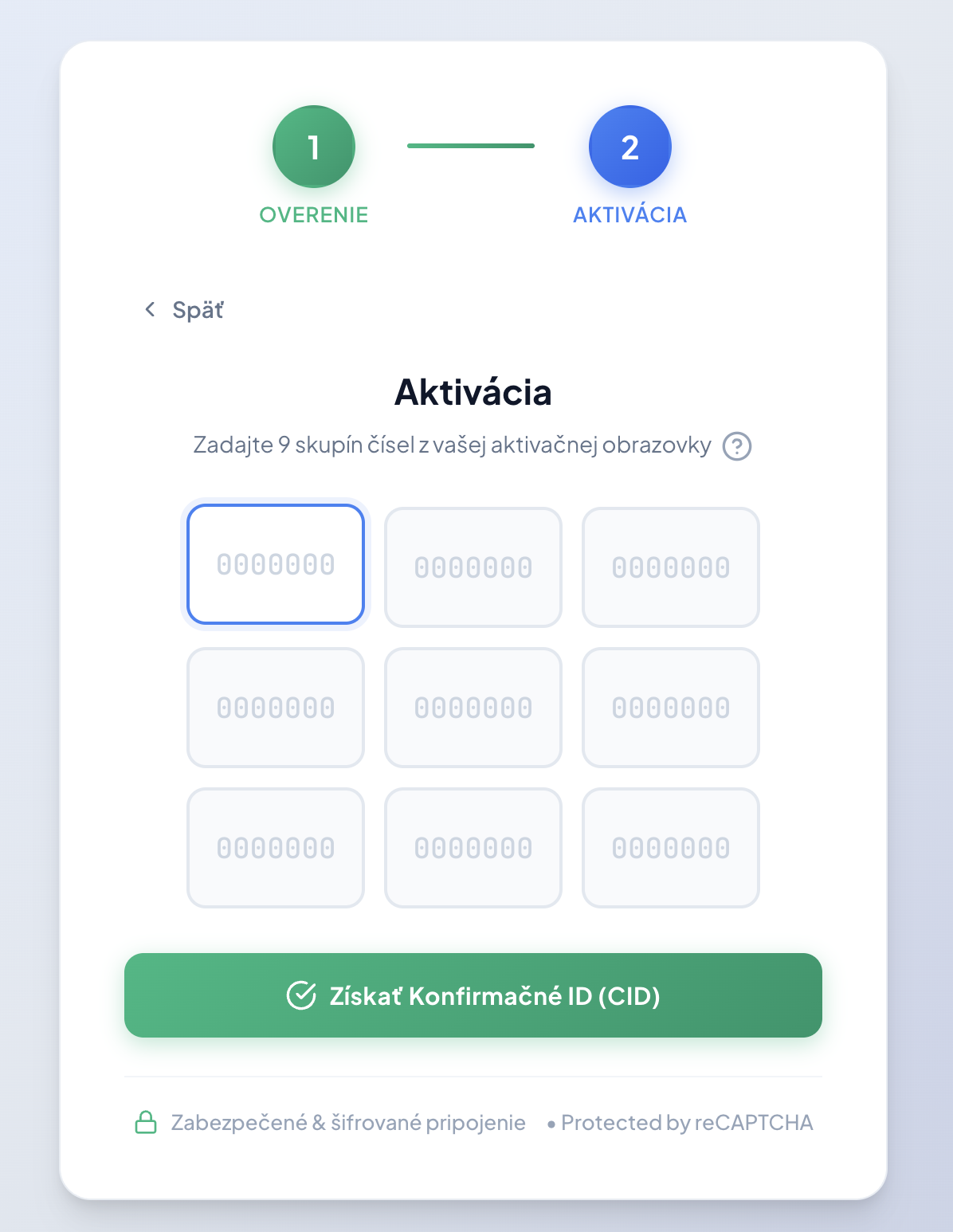
fig. 5 – Entering numbers into our portal
7) Final System Activation
In the Windows activation window, click Enter Confirmation ID. Enter the code displayed by our portal into fields A to H and click Activate Windows System.
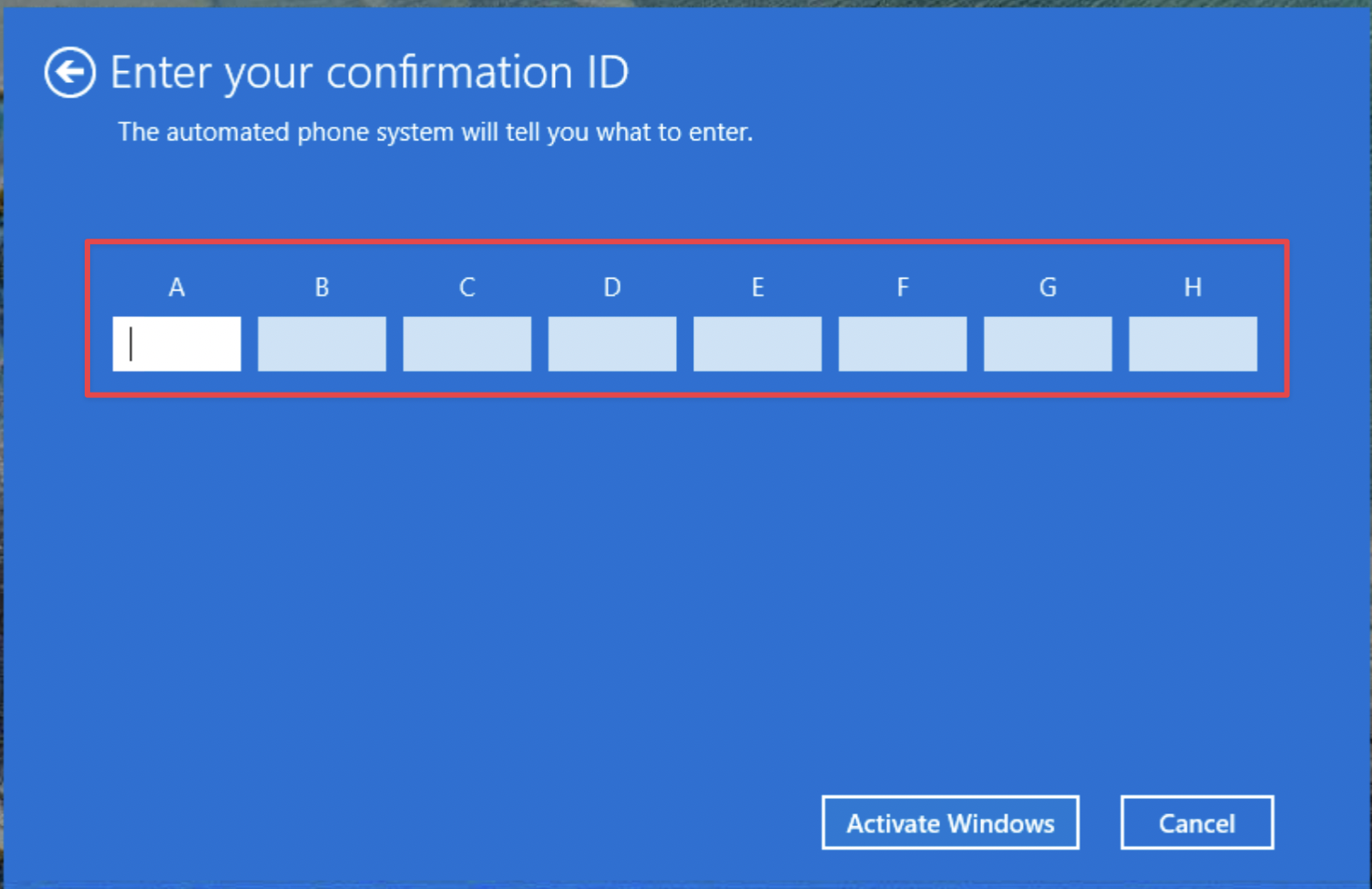
fig. 6 – Completing activation in Windows